



Insights from our agency on real estate marketing,
The grass is Greener
Welcome to
services, and why our clients trust us.
A Complete Guide from Concept to Final Delivery
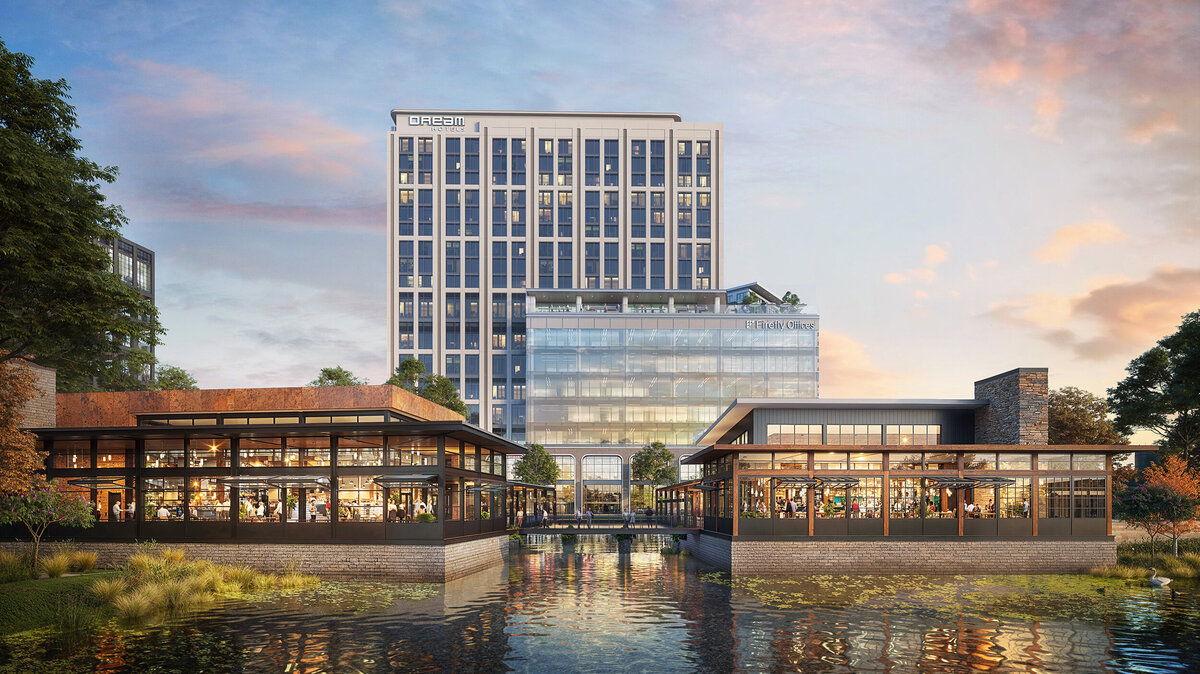
Ever feel like your ideas for a space, product, or experience just aren’t coming across the way you imagine them? If you’re an architect, developer, marketer, or designer, you know how tough it can be to get people excited (and on board) before anything is actually built. At Green Grass Studios, we’ve watched the right 3D rendering bring those ideas to life, turning something abstract into a story that really inspires action.
This guide is for anyone who helps shape new spaces, products, or creative worlds. Maybe you want to speed up leasing, picture a mixed-use development, or just cut through the noise. We’ll explain the basics, talk about essential tools, and walk you through our process – refined over the last twenty years. You’ll see how each stage fits together, so you can impress your audience and make confident decisions.
We’ll spell out the steps, offer real advice from our team, and talk about what sometimes gets in the way – and how to handle it. Ready to bring your next vision to life? Let’s get started.
What is 3D Rendering?
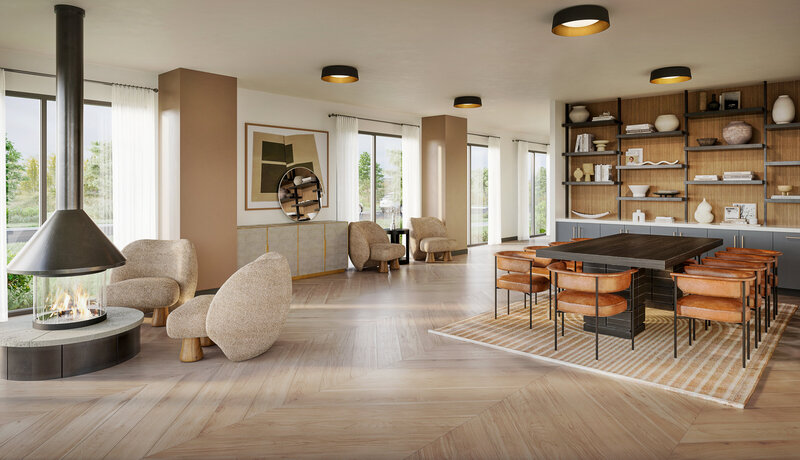
3D rendering is the process of taking a plan or idea and creating a detailed, lifelike image – one you can look at, explore, and share, long before any construction or production begins. It mixes the accuracy of digital modeling with the creativity of lighting, color, and layout.
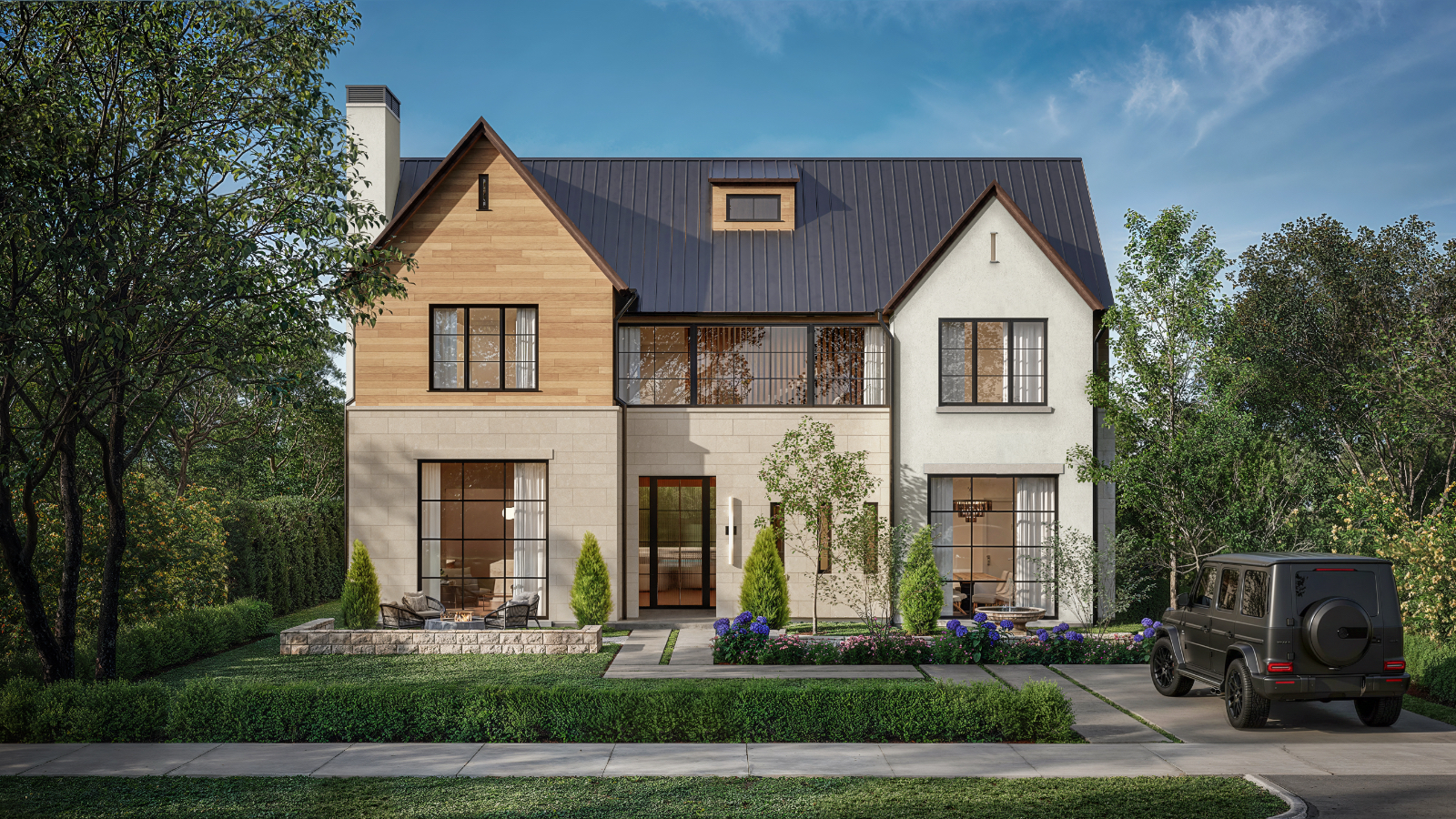
While traditional 2D drawings can flatten how something feels, 3D rendering lets you see depth, materials, and spaces just as you’d experience them once built. Instead of guessing how a project might look from a sketch, everyone can see how light streams in, colors shift, and textures stand out from any angle.
With all the tech advances over the last decade, 3D rendering has come a long way. Now you get ultra-realistic visuals, live walkthroughs, and even interactive experiences – so more people can see, share, and get excited about your vision.
The global 3D rendering market has grown rapidly, reaching a value of $2.5 billion in 2023 and projected to surpass $6.5 billion by 2030 (GlobeNewswire). This growth highlights just how vital rendering has become in industries from architecture to gaming.
In fact, the market is poised for extraordinary growth beyond that. The global 3D rendering market size is projected to grow from USD 5.37 billion in 2025 to approximately USD 26.65 billion by 2034, expanding at a CAGR of 19.55% from 2025 to 2034 (Precedence Research). Such momentum is driven by demand across a wide range of industries, from architecture and construction to entertainment and marketing.
At Green Grass Studios, rendering isn’t just a technical output. It’s a storytelling tool.
When to Use 3D Rendering
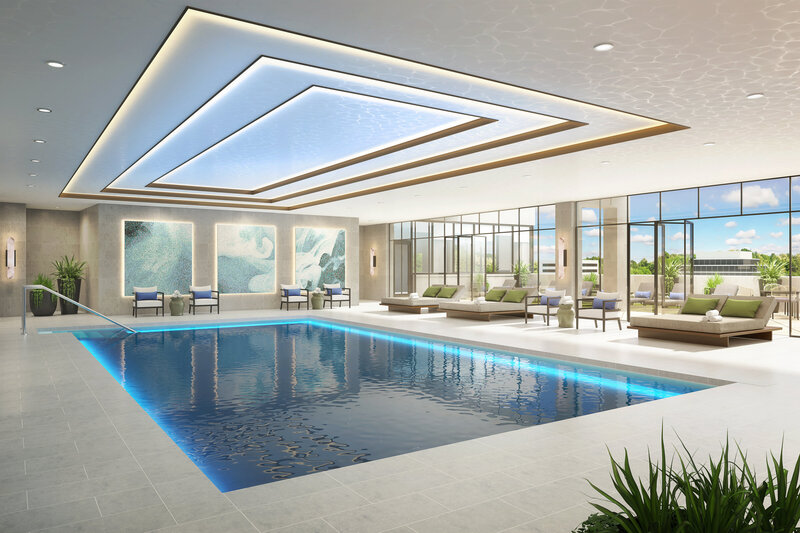
3D rendering plays a part in just about every stage of real estate and product design. In architecture, it helps create visuals for investors to weigh options, gets stakeholders on board, and covers everything from whole neighborhoods down to cozy interiors – delivering everything from bird’s-eye views of the site to realistic images of a lobby.
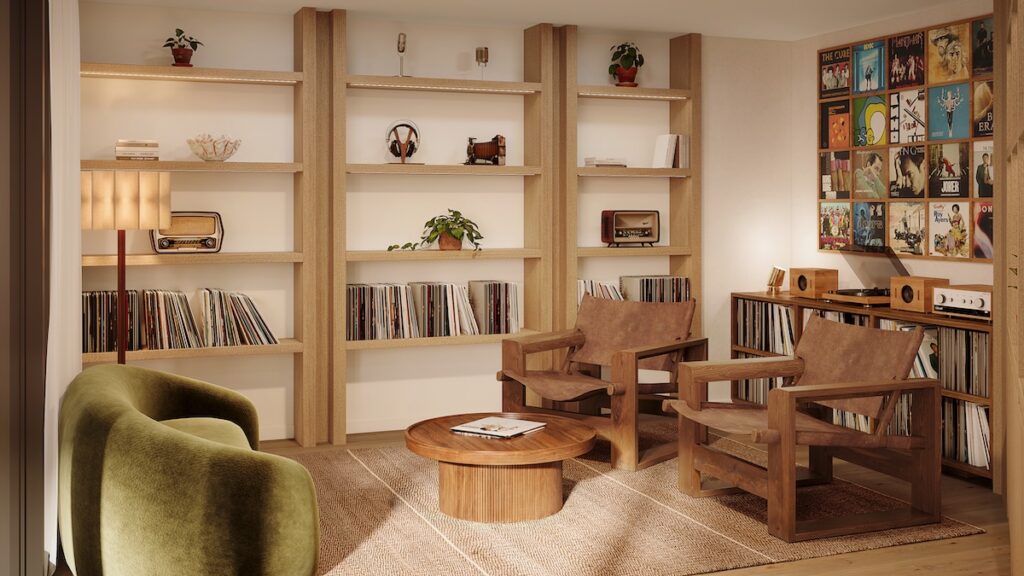
Real estate teams use 3D images for virtual staging, pre-leasing tours, and eye-catching marketing pieces that build excitement and spark early sales. Developers lean on custom unit views, amenity highlights, and branded walkthroughs to show off a lifestyle.
In fact, properties staged virtually can sell up to 75% faster than those without any staging (National Association of Realtors). That speed can be a game-changer in fast-paced markets.
The architecture and construction rendering market specifically was valued at $1.8 billion in 2023 and is forecast to grow at an 8.5% CAGR through 2030 (ZipDo Education Reports). This signals not only the expanding scale of projects but also the increasingly central role visuals play in sealing deals and steering projects from concept to completion.
In film and gaming, rendering makes detailed worlds possible – think cinematic cutscenes, VR adventures, or planning a movie scene before the cameras roll. For product creators, these detailed images make it easier to tweak colors, finishes, or forms long before the first prototype hits the workbench.
No matter the project, 3D rendering gets everyone – clients, investors, creative partners – on the same page early, clearing up the vision, making choices easier, and lowering the risk at each step.
The Tools and Gear You Need
Picking the right tools comes down to your goals, budget, and workflow. At Green Grass Studios, we lean on 3DS Max for building models, V-Ray and Unreal Engine for rendering and interactive projects. We use SketchUp for early concepts, and we often swap files with teams using Revit, Blender, Cinema 4D, or Maya – everyone has favorite tools, and we try to keep things flexible.
Blender, the powerful open-source 3D modeling software, has gained immense popularity in recent years – it is now used by 65% of independent game developers as of 2023 (ZipDo Education Reports). Whether you’re a small studio or a freelance creator, accessible options like Blender level the playing field and make advanced visuals more achievable than ever.
Free options like Blender work great for solo artists or small teams, while industry heavyweights such as 3DS Max, Cinema 4D, or Maya usually come with monthly or yearly licenses. Think about your project size, how often you render, and what you can budget for growth – those costs can play a big role in your decision.
Hardware matters just as much. We rely on multi-core CPUs, 32GB+ RAM, and powerful GPUs (such as NVIDIA GeForce or Quadro cards). For large-scale scenes, cloud rendering provides additional computing power and faster turnaround.
For live walkthroughs, long-distance teamwork, or interactive web work, Unreal Engine is tough to beat. It lets you share interactive scenes with clients or sales teams quickly and easily.
Choosing software depends on your workflow, collaboration needs, and final output goals. Compatibility between architects, designers, and visualization teams is critical to keeping projects efficient. Choose tools that work for everyone involved, not just your team.
The 3D Rendering Process, Step by Step
Every good 3D rendering is the result of careful teamwork and a clear step-by-step approach. Here’s how we tackle a project at Green Grass Studios – from the first idea to the final image – and what we’ve learned along the way.
1. Developing the Concept & Planning the Scene
We always begin by pinning down what the project is meant to achieve and the feeling we want to create. Mood boards, early sketches, and reference pictures help nail down the vibe and selling points. People often skip this part and rush into software, but you end up with vague, uninspired visuals that way.
Getting feedback from clients is baked into our whole system. We open up conversations at the start so everyone’s on the same page and surprise changes are less likely. We keep those feedback loops going at every milestone for smoother approvals and a final result that genuinely clicks.
Decide on camera angles and important features right away. Trying to tackle too many views at the beginning can drag things out – focus on what will really make an impression.
2. Building the 3D Model
With a clear vision, we start shaping the 3D basics – architecture, outdoor features, context – often in 3DS Max, or by importing from SketchUp. Don’t pile on unnecessary details at this stage – overcomplicated models just slow you down later.
It’s smart to keep your models tidy and organized from the start, using clear layers and labels. When the project is more complex, we make or find custom objects – like branded signs or unique furniture – to match the real feel of the space.
If you’re bringing in models from somewhere else (like Revit or SketchUp), check the scale, alignment, and clear out any unnecessary geometry now to avoid problems during rendering.
3. Adding Textures and Materials
Now the scene really starts to pop – with color, shine, and textures you can almost feel. Stock materials are quick, but often we build our own to capture a brand’s exact look or to get the setting just right.
One thing we see a lot: materials that look too plain, or textures stretched too large or small. Map out surfaces carefully so wood, brick, or stone keep their natural look and don’t repeat in an obvious way.
Use the best references you can get – photos from the site, design boards, sample products – and match things like shine, bump, and gloss to make every surface believable.
4. Lighting the Scene
Lighting sets the whole mood. We approach it like photography – balancing sunlight with carefully chosen fixtures. HDRI images give us real, natural outdoor light, while indoor lights add warmth and help lead the viewer’s focus.
Watch out for common mistakes: lighting that’s too harsh and washed out, or interiors that feel dull. Try changing the angle, adding subtle fill lights, and always get a second opinion to make sure everything feels welcoming and true to life.
Play around with little adjustments – sometimes a single change completely shifts how a scene feels.
5. Camera and Composition
Choosing the right viewpoint matters. We use simple rules – like thirds or leading lines – to point out the best features, set the scale, and bring out the right vibe. For homes, try up-close and inviting; for bigger spaces, show wider, grander angles.
Don’t settle for boring, flat shots. Test out different angles and share them with the team before settling on final views. Combining wide perspectives and close-ups helps share both the feel and the details.
Add a touch of blur where it fits to steer attention, much like an actual camera would.
6. Rendering the Image
Now it’s time to produce your image. Here you set things like resolution, sample rates, and how light bounces through the scene, based on where and how people will see the final result.
Don’t go for full-quality final renders too fast. Run quick low-res previews to check for errors, then make small changes as needed. Only go for the top quality once you know every detail is just right.
Using cloud power or a heavy-duty graphics card speeds things up. If one view is bogging you down, try rendering it in pieces or layers.
7. Bringing it Together: Post-Processing and Brand Details
Final polish happens after the image is rendered. We use Photoshop or After Effects to tweak contrast, color, sharpness, or to blend in branding, people, or new skies. This is a good time to double-check style guides and color settings – staying true to the brand ties everything together.
Too many filters and over-the-top effects can ruin the look, though. Subtle edits, using real photos for guidance, keep things believable and emotionally engaging.
Share your last version with the whole team – fresh eyes might spot something you missed or have an idea that makes the image even better.
Inside the Studio: The Green Grass Studios Rendering Workflow
While the steps above explain how to create a 3D rendering in general, our studio workflow adds structure that keeps projects efficient and collaborative.
Project Kickoff & Information Gathering
After scope and budget are defined, a dedicated Project Manager (PM) takes over. The PM gathers all necessary documentation, including:
- Floor plans and elevations
- Landscape and lighting plans
- Finish schedules and FF&E
- Existing 3D models
- Brand direction and mood boards
Clear documentation at the beginning ensures the rendering reflects the intended built result.
Artist Production & First Pass
Artists review architectural drawings and begin constructing the scene in 3ds Max. Initial camera angles are refined to best represent the space.
Once modeling, rough textures, and base lighting are established, the project is submitted for Pass 1 review through our Online Review Studio. This allows developers, architects, and designers to leave direct feedback.
A structured feedback window keeps timelines on track.
Refinement & Approval Passes
After feedback:
- Models are adjusted
- Materials are refined
- Lighting is enhanced
- Entourage is added to bring realism and lifestyle
Pass 2 focuses on polish. The For Approval Pass typically includes fine-tuning, color correction, and minor lighting adjustments.
Post-production tools like Photoshop may be used for compositing and brand alignment.
Final Rendering & Delivery
Once approved, the image is rendered at full resolution using V-Ray within 3ds Max. Rendering time depends on complexity and output size.
Final files are delivered by the Project Manager, ready for marketing campaigns, sales presentations, or investor decks.
Common Challenges (and How to Overcome Them)
Every project brings its own curveballs: tight timelines, hardware that’s a bit too slow, or tricky creative decisions. When we’re up against the clock with big, heavy files and average graphics cards, we’ll often break the work into smaller sections, handle backgrounds separately, or finish the last details using cloud power. Think of it as working in stages: preview, adjust, then wrap up to keep everything on track.
Render times dragging? It’s often things like too much detail, too many lights, or setting the quality too high for your system. Trim away what you don’t need, use lighter proxies, and dial in smart sampling so your hardware isn’t working overtime.
Getting something to look truly real is never easy. Compare your image to photos or videos of similar scenes, and keep playing with lights and materials until it hits the right mood. Honest feedback from colleagues or clients catches details you might overlook.
Watch for red flags early: slow scenes, crashing, odd shadows, or weird artifacts. Troubleshooting early prevents last-minute scrambles and helps keep your budget in line.
Tips for Better 3D Renders
Solid work comes from solid habits. We keep our files and folders organized, so anyone on the team can jump in and clients can see updates without confusion. With version control, you can try bold tweaks without risking your progress. Have a solid name convention for your files that incorporates both the project name and date.
For repeated elements, like landscaping or furniture, we use proxies or duplication so scenes don’t bog things down. Start with low-res test renders for quick checking, so mistakes don’t sneak into the final, polished version.
Review work together regularly. New points of view often lead to better solutions and stronger creative choices.
Write down your process, tricks, and settings. Doing this keeps things running smoother next time and helps ensure quality throughout your team or brand.
Where to Learn More
There’s no single route to getting great at 3D rendering. If you’re just starting out, hands-on courses or YouTube walkthroughs focused on your software of choice can give you a big boost. More experienced artists get a lot out of books and workshops that dig into lighting, theory, or advanced techniques.
The landscape is changing quickly, so AI and automation are now crucial tools for staying ahead. For example, 78% of professional 3D artists use AI-powered tools for tasks like texture generation and model refinement in 2023 (ZipDo Education Reports). Embracing these technologies will help you keep your workflow efficient and your renders on the cutting edge.
Find communities you can join: places like CG Architect, ArtStation, or even local groups. For example, Green Grass studios has held panels previously with a local Dallas group A Bunch of Short Guys. Having mentors or getting feedback makes a big difference. Showing your work, asking for thoughts, and joining in with others helps you learn faster and often leads to new creative ideas.
Stay curious: check out both official guides and practical demos, look for webinars, and pay attention to what’s changing in the industry. Keeping your skills up to date means your work stands out.
Wrapping Up
From brainstorming and scene planning to modeling, textures, lighting, and the finishing touches, each step in 3D rendering brings more clarity to your vision. With a steady and thoughtful approach, you’ll speed up sales, build trust, and craft visuals that really tell your story.
You’ve got the basics, so now the next step is to start using them! If you’re ready for your next big project, Green Grass Studios is here to help, bringing ideas to life with careful design, smooth teamwork, and visuals that make a real connection.
Let’s talk. Take a look at what we’ve done, share your ideas, and see just how far a purposeful, experienced 3D rendering team can take your project.
Next Post:
Previous Post:
Get In Touch
Let’s connect!
Drop us a quick message, and together we can explore how to bring your vision to life. Whether you’re looking for something specific or just want to brainstorm, we’re here and ready to help!
